jsLDA is a tool that allows for people to run and train models with text data in order to be able to topic model data in the browser. This tool works in modern browsers such as Chrome, Safari, and Firefox.
This tool is useful to DH because it removes the technical barrier to entry that many find when wanting to do data modeling with text data. It removes the need to program your own complicated model in R or Python and instead allows people to plug and play. This makes it easier to create models and to make them faster for projects involving many datasets.
- Run a model

The first step is to click run a model
2. Add your documents and stop words
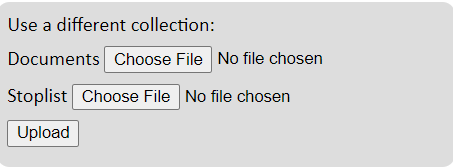
Add your chosen files with the text data and stop words
3. Run the iteration
Run the iteration 50 times to train the model and create the topics
4. Review the topics created by the model

Look over the topics created by the 50 iterations. If the results aren’t to your liking then run the iterations more times until satisfied with the topic modeling.
5. Download the data
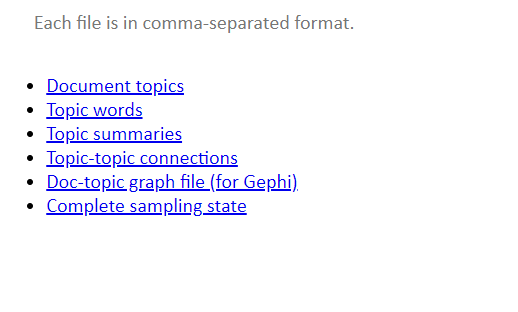
When you’re finished with the topic modeling, you can download the data to your local hard drive to use for data visualization later.
Additional resources
